
Find your place.
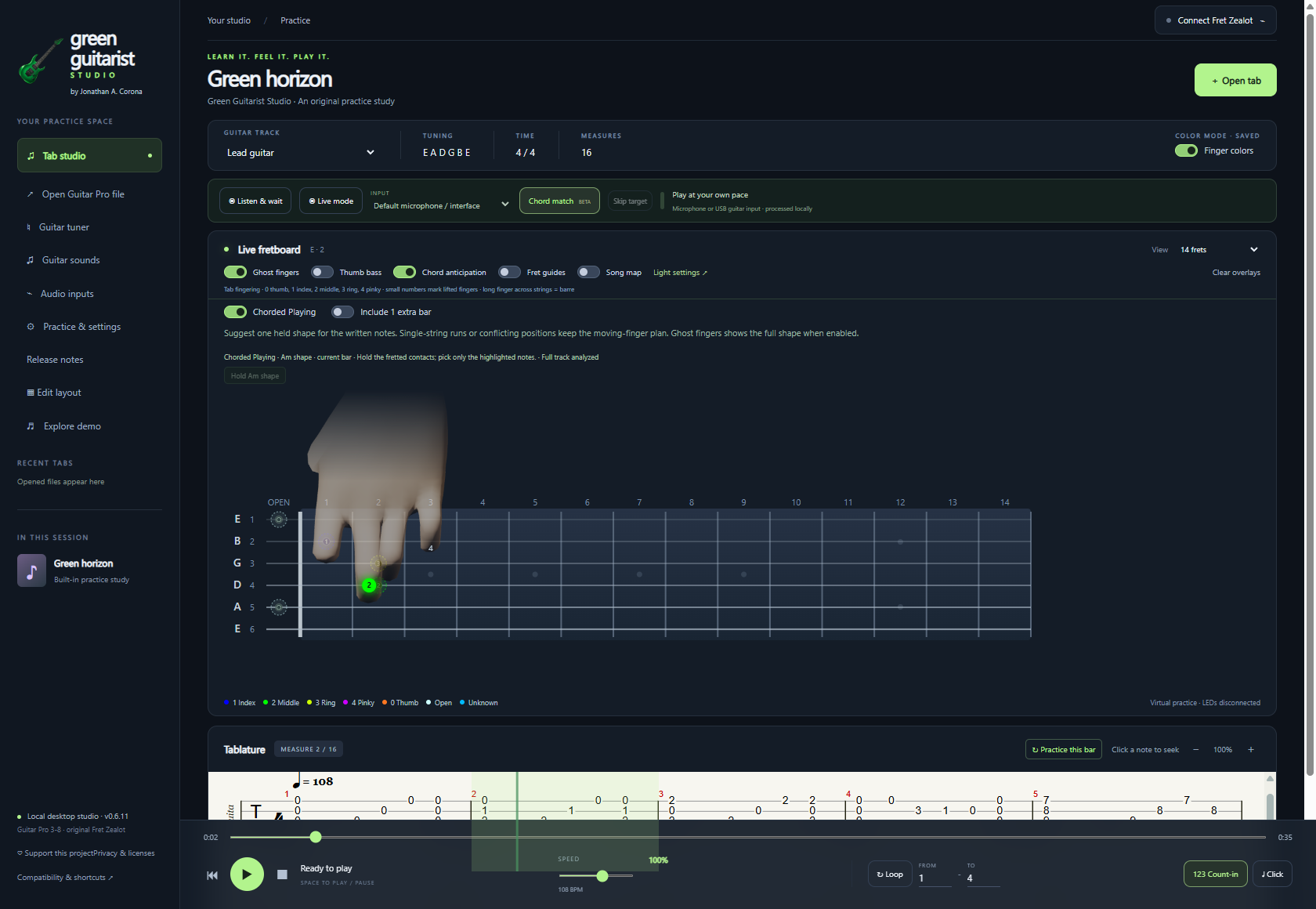
Chord anticipation compares your selected guitar track with a chord-shape dictionary, helping ghost fingers suggest more consistent positions across the song.
Explore finger guidance ↗ GreenGuitarist.com
A PASSION PROJECT, SHARED WITH YOU
Green Guitarist Studio grew out of my love for guitar and a desire to make learning more visual, approachable, and enjoyable.
Tabs tell you which notes to play. I wanted a clearer way to see where my fingers belong, recognize the chord behind a phrase, and practice at my own pace. So I brought those tools together in one free studio.
Jonathan A. CoronaCreator, Green Guitarist Studio
FREE NOW. FREE GOING FORWARD.
Every feature is free to use, and Green Guitarist Studio will continue to be free. No subscription. No features locked behind a payment.
I believe the tools that help you enjoy guitar should be accessible. Optional donations help me keep improving them. Sharing the app and sending feedback help too.
 GREEN GUITARIST STUDIO IN ACTION
Click play to watch with sound. Video controls include mute and full screen.
Jonathan demonstrates the original Fret Zealot with the LEDs following the onscreen notes and tablature. Real footage from the walkthrough. Press play to hear the demonstration.
Click play to watch with sound. Video controls include mute and full screen.
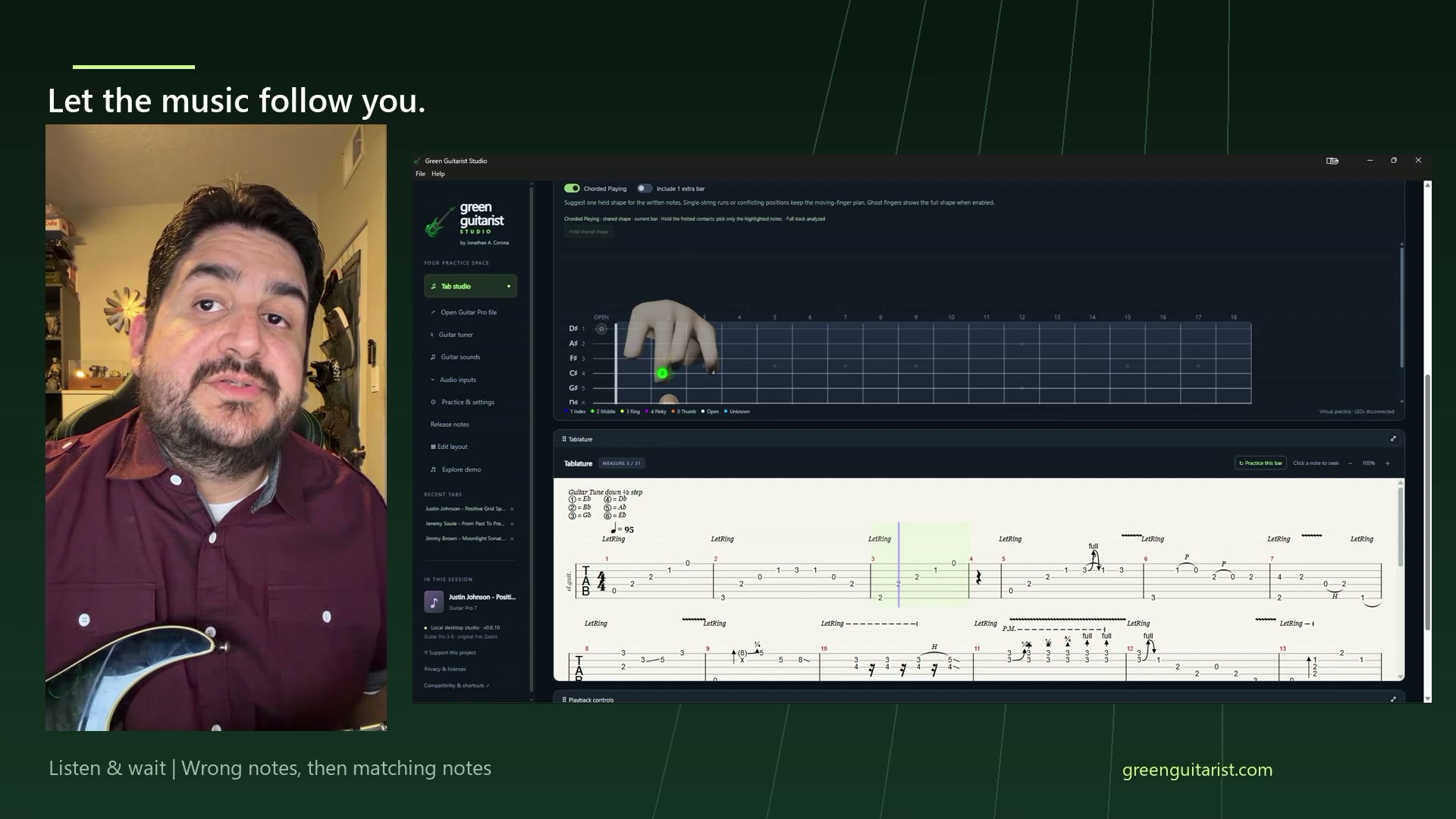
Watch ghost fingers move through the Justin Johnson demonstration, following changing notes and shifting up the fretboard. The tab moves with the phrase.
 Enlarge image
Chord anticipation analyzes your selected track against a chord dictionary. Chorded Playing suggests a shared hand position for notes that fit a held shape.
 Enlarge image
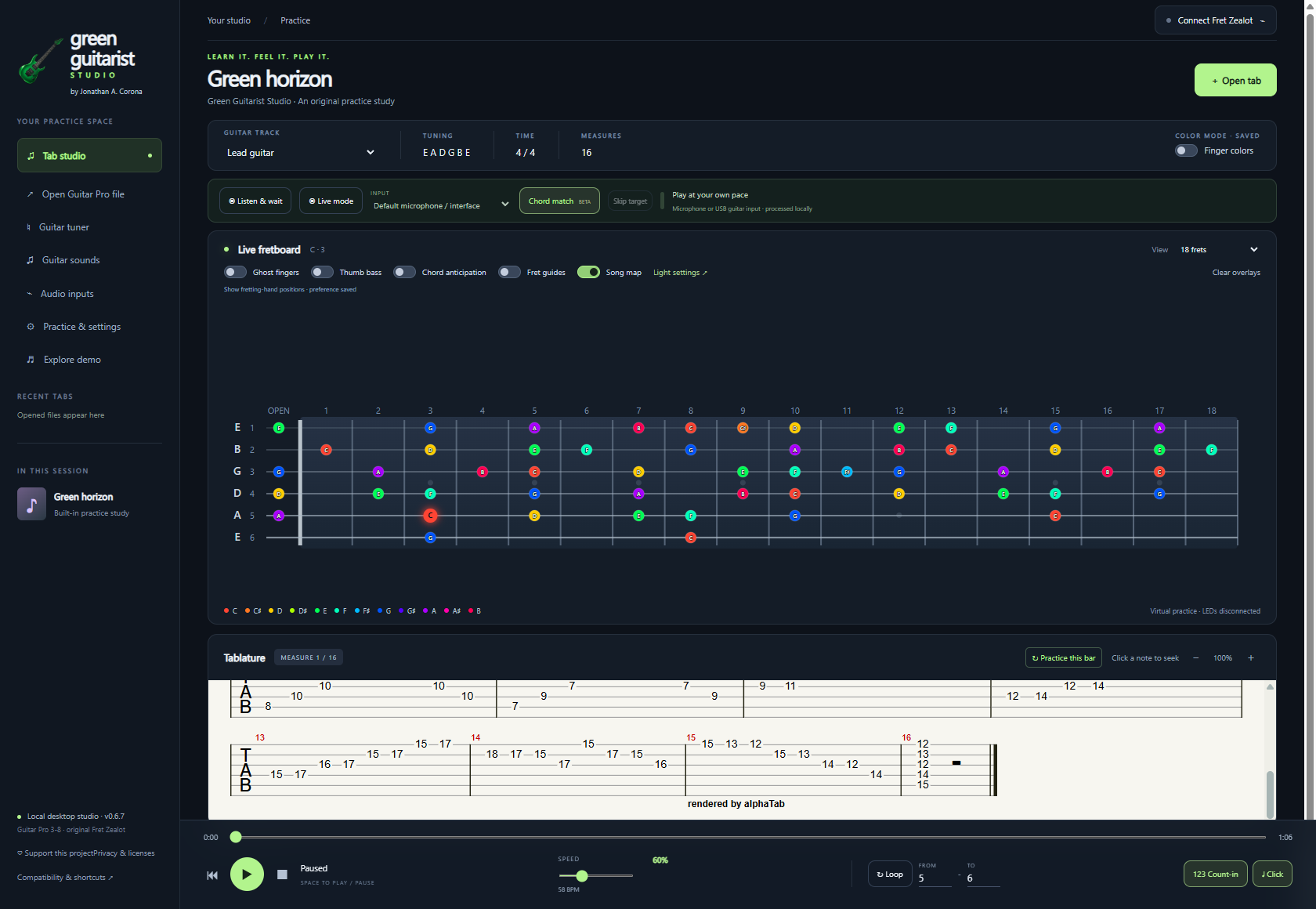
The original Green horizon study reaches fret 18. Song map can reveal the whole track, the current bar, or up to 20 bars ahead.
 Enlarge image
Play the target note and let Listen & wait advance when it recognizes a match. Use your microphone or a clean guitar-interface input. Recognition depends on your signal.
 Enlarge image
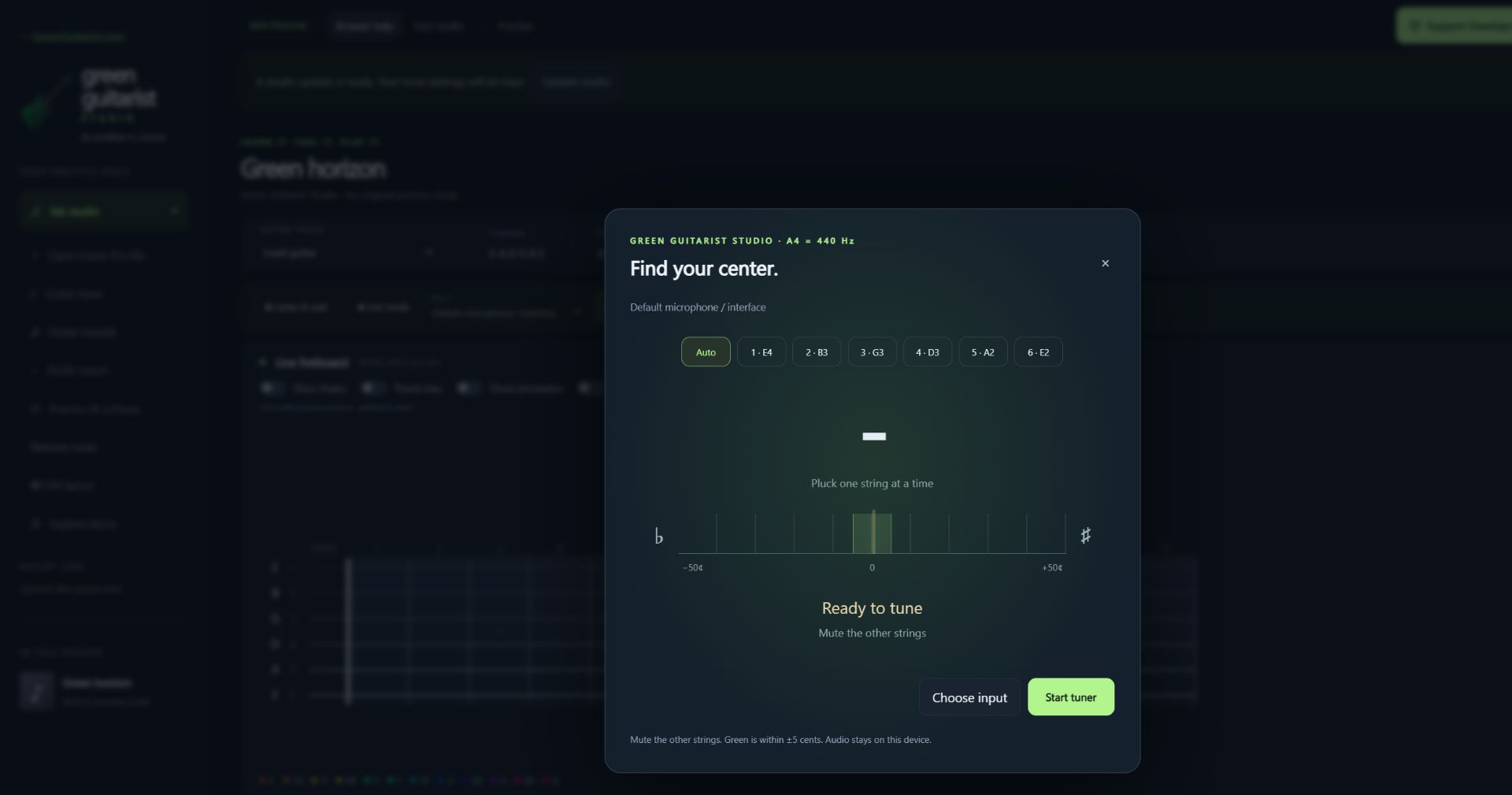
Choose your input, tune automatically, or select a string. This close-up shows the real tuner controls, ready to listen when you start it.
 Enlarge image
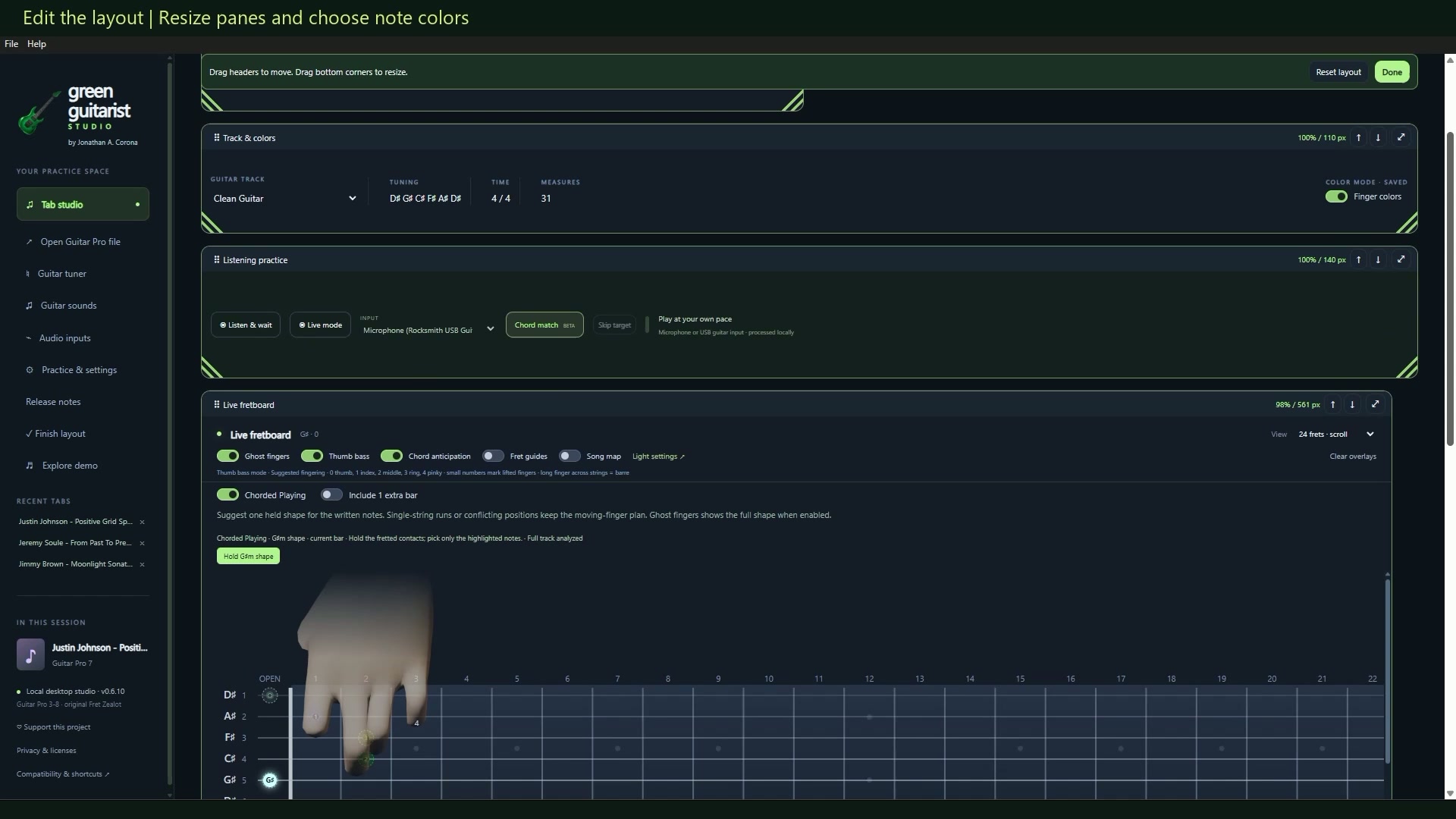
Drag pane headers to rearrange your workspace and pull the corners to resize it. Give the fretboard, tablature, and practice controls the space you need.
 Enlarge image
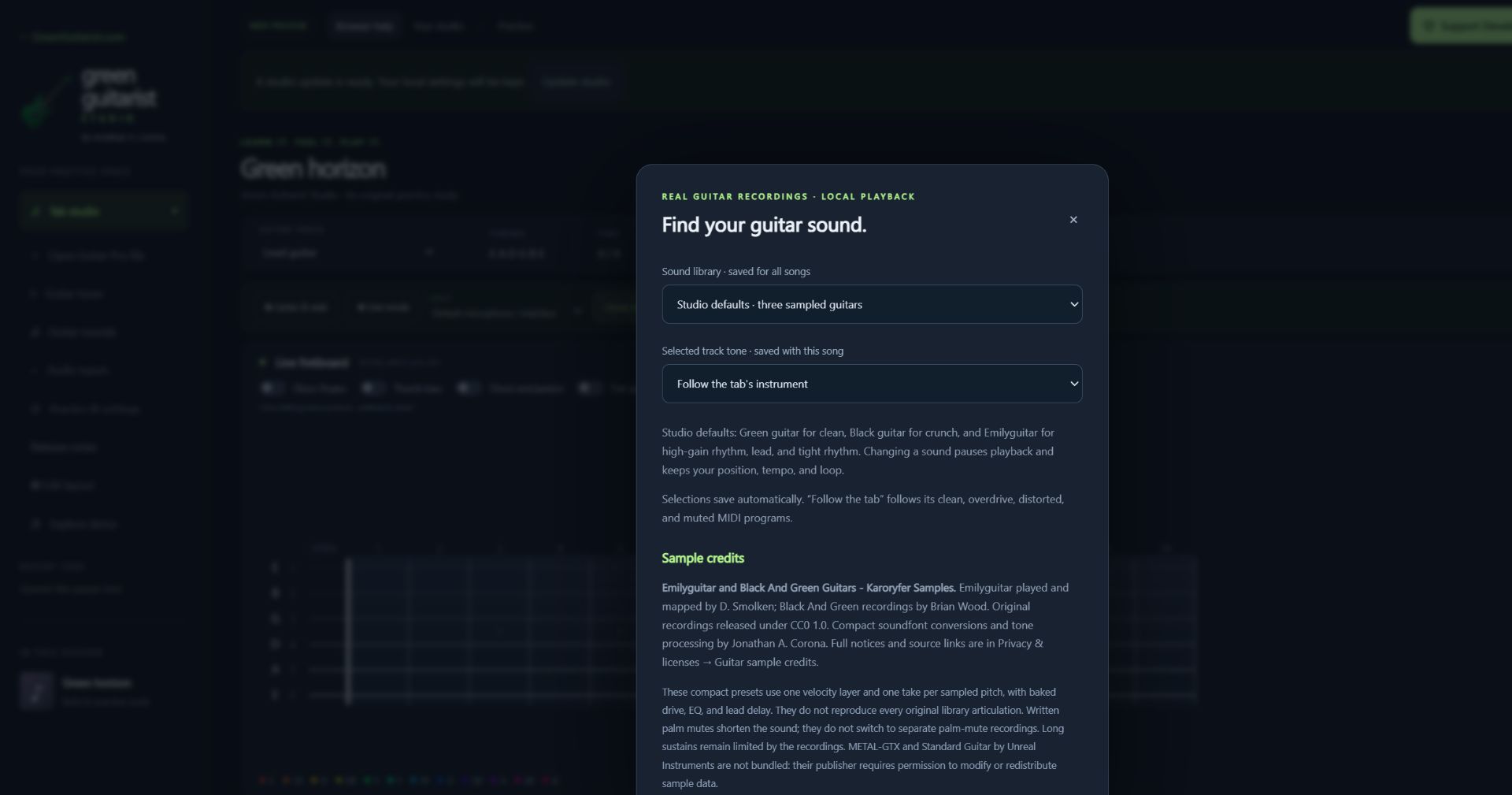
Explore clean electric, crunch, high-gain rhythm, and lead tones using the included credited guitar samples. Your choices are saved for the next session.
YOUR NEXT PRACTICE STARTS HERE
Turn the tabs you love into music you can play.
A visual practice studio that brings your fretboard, your fingers, and your music together. One small step at a time.
Free to use · Browser and Windows · No account needed
MEET YOUR NEW PRACTICE SPACE
See the fretboard, ghost fingers, listening tools and guitar lights in action.
01 / MAKE THE HARD PART SMALLER
Chord anticipation compares your selected guitar track with a chord-shape dictionary, helping ghost fingers suggest more consistent positions across the song.
Explore finger guidance ↗Slow a phrase down, loop a few measures, and count yourself in. Give each change the time it needs.
Build a practice loop ↗Listen & wait advances when it detects the target pitches. Try a microphone or a clean guitar-interface input.
Learn about listening ↗02 / YOUR SPACE TO PRACTICE
A real Windows app with your recent tabs and settings ready for your next session. No account needed to practice.
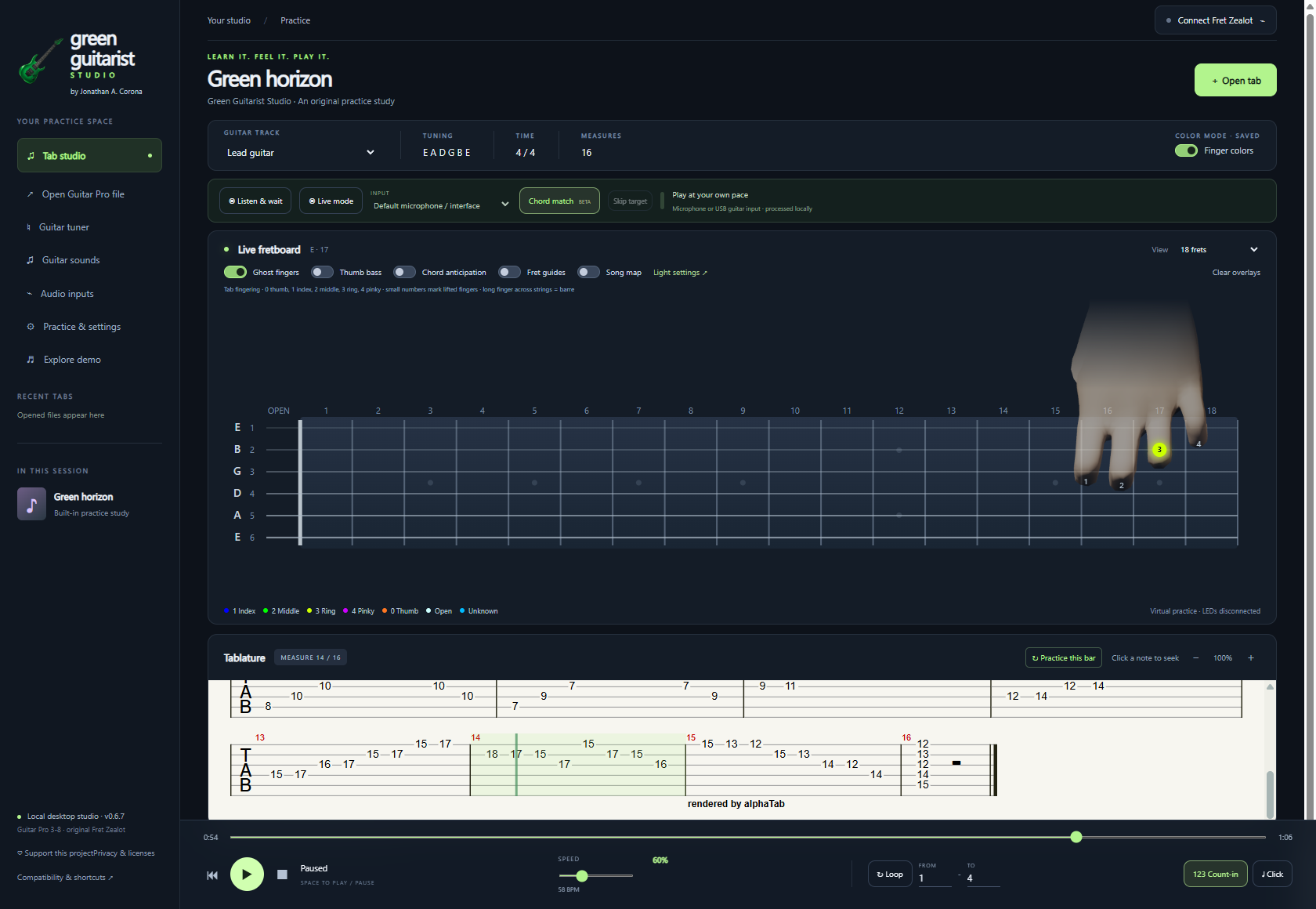
Bring your own music. Open supported Guitar Pro 3-8 files and choose your guitar track.
Make it visible. Explore note colors, finger colors, song maps, and optional original Fret Zealot LEDs.
Keep it local. The app processes your tabs and microphone audio on your computer.
SEE THE SHAPE BEHIND THE SONG
Turn on Chord anticipation and the studio analyzes the entire selected guitar track against a built-in dictionary of open, barre, movable and seventh-chord shapes.
It looks for familiar shapes in chords and arpeggios, then considers neighboring bars to suggest more consistent finger placements and fewer unnecessary hand shifts. That makes the preview more useful when a chord is picked one note at a time.
Available in the web studio and Windows app. Analysis runs on your device. Look for Full track analyzed when it is ready.
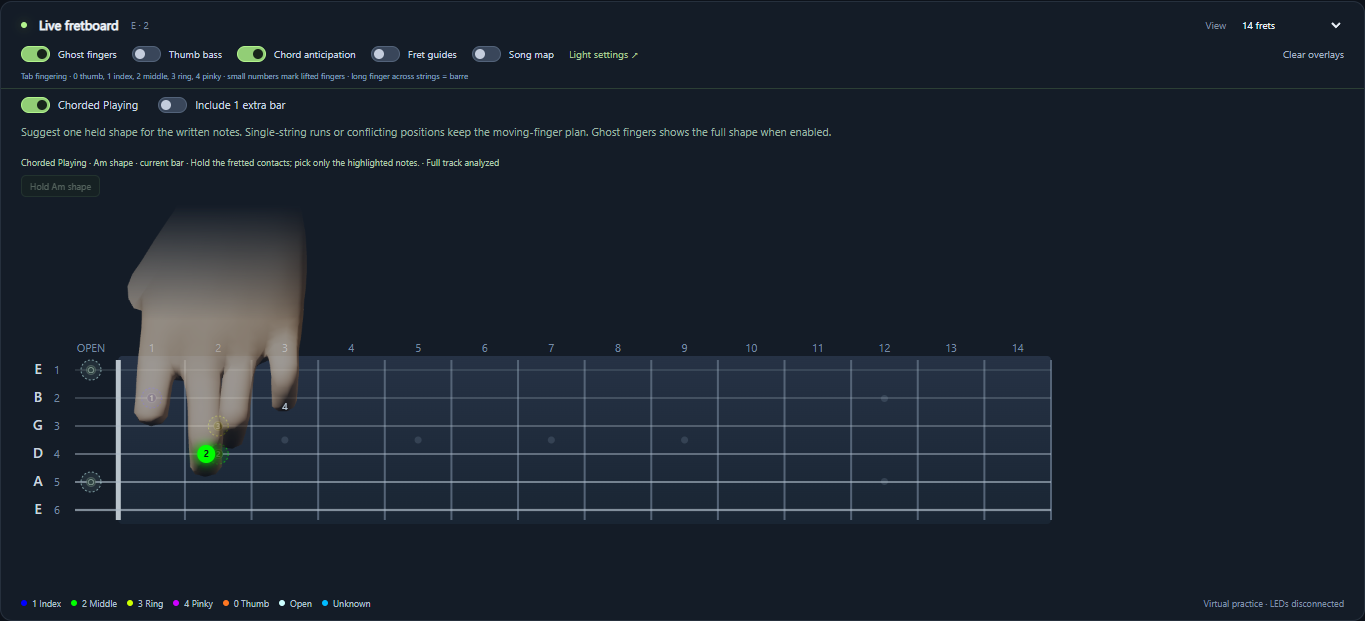 See the suggested chord shape
PRACTICE AT THE SPEED OF YOUR HANDS
Listen & wait listens to your guitar and holds the current target until it hears a stable matching note. Play the right note, and the tab and fretboard move on to the next one.
Use your microphone to get started. With the installed Windows app, you can also plug your guitar into your computer through a suitable USB audio interface. A clean direct signal can reduce room noise and improve recognition accuracy.
Choose your input in Audio inputs, then enable Listen & wait. Chord matching and bend-friendly assistance are available too; recognition depends on your signal and remains experimental.
The tab and fretboard show the next notes to play.
Your selected microphone or guitar interface supplies the sound.
The next target appears after the app recognizes the expected pitch.
Audio is processed on your device. The app does not record or upload your microphone audio.
FROM YOUR SCREEN TO YOUR STRINGS
Already own an original Fret Zealot? Connect its Bluetooth LED strip to bring the selected tab onto your guitar.
Optional hardware, sold separately. Original device: six strings, frets 0-14. Higher notes remain visible onscreen. Windows app or a compatible Web Bluetooth browser required; iPhone Safari cannot connect to the LEDs. The recorded demonstration shows an original Fret Zealot; device and browser compatibility varies.
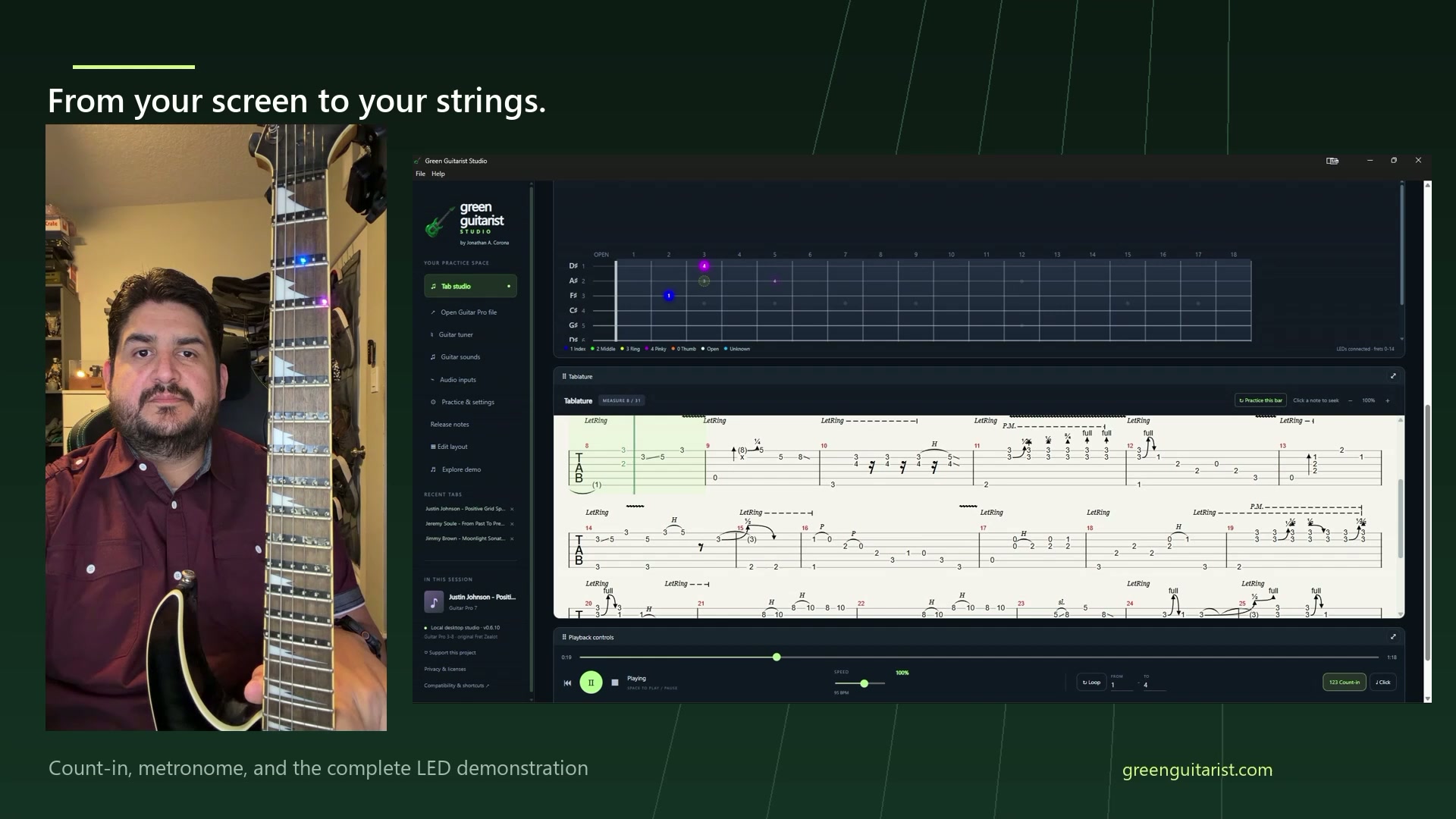 See the LEDs in action
03 / A LITTLE HELP ALONG THE WAY
Straightforward guides for your first session and the details you need when something feels off.
Browse all guidesINDEPENDENTLY MADE. FREE TO PLAY.
Green Guitarist Studio is made by Jonathan A. Corona. If it makes your practice a little better, you can help support its development.
Completely free to use. Every donation helps.
Choose Ko-fi, Cash App, or Zelle.